PK3 Audio Booster
A downloadable mod for Windows
PK3 Audio Booster
NOTE: You need FFMPEG to use this - get this program to install it for you if you don't have it installed to windows PATH: https://reactorcore.itch.io/ffmpeg-to-path-installer
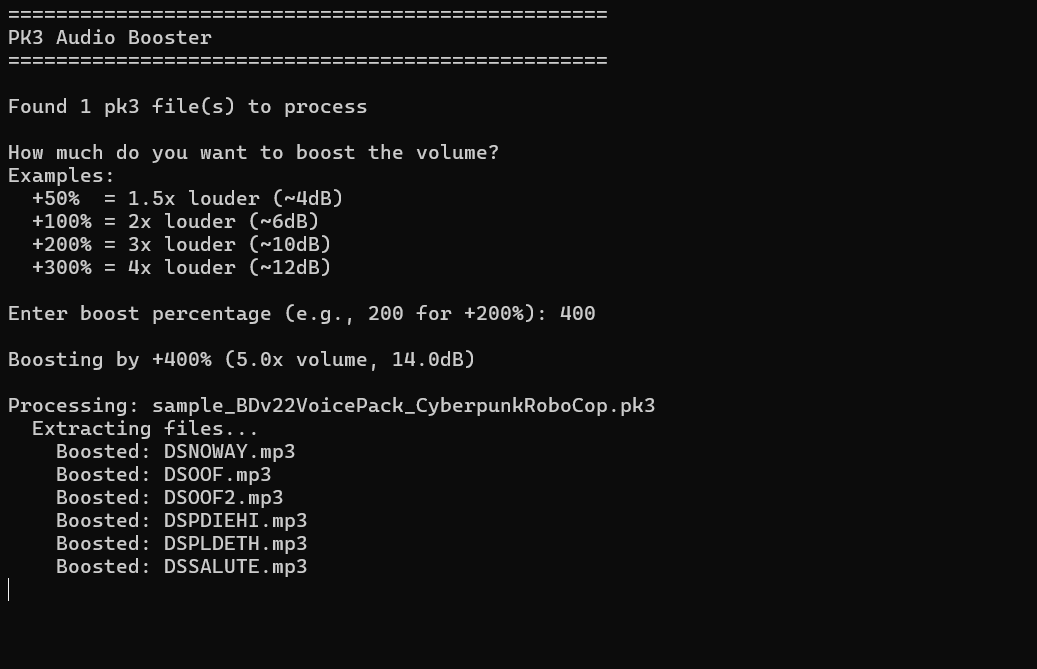
Its a simple python program that boosts audio volume in pk3 files by a user-specified amount. It does this all automatically without you needing to open and repackage the pk3 file.
Its meant to be used in tandem with this Brutal Doom Voice Pack Generator: https://reactorcore.itch.io/brutal-doom-voice-pack-generator
I recommend using 'volume boost 300%' in that above linked voice pack generator, then use this PK3 Audio Booster program with an additional '+500%' to get to Brutal Doom levels of loudness, otherwise the gunfire will drown out the voice clips.
Features
- Processes all pk3 files in the current directory
- User-configurable boost percentage (e.g., +200% for 3x volume)
- Preserves entire folder structure within pk3 files
- All non-audio files remain unchanged
- Supports mp3, wav, and ogg audio files
- Original pk3 files are not modified
Other Uses
Question: Does this technically work with any pk3 mod?
Answer: Yes, absolutely!
The program works with any pk3 file regardless of its internal folder structure.
Here's why:
PK3 files are just ZIP archives - They're standard ZIP files with a .pk3 extension, commonly used by id Tech engines (Doom, Quake, etc.)
The script preserves everything - When processing:
- It extracts the entire pk3 to a temporary directory
- Walks through all subdirectories recursively using os.walk()
- Boosts only the audio files (.mp3, .wav, .ogg) wherever they are
- Leaves all other files completely untouched
- Repackages everything with the exact same folder structure
No assumptions about structure - The script doesn't care if your audio files are in:
- /sounds/voices/
- /music/
- /some/deeply/nested/custom/path/
- Or even scattered across multiple folders
It will find and process them all while keeping everything else (textures, sprites, scripts, maps, etc.) in their original locations.
So whether it's a Doom mod, Quake mod, or any other pk3-based content with a unique folder structure, it'll work the same way!
Author & Links
Reactorcore
Download
Install instructions
Make sure to get FFMPEG installed to PATH if you don't already have it.
Afterwards, just put the pk3 files you want to boost in the same folder as the exe and run it. It will batch process all of them, creating new copies without harming the original files.
For Brutal Doom voice packs, I recommend +400-500% more volume using this program. Brutal Doom is just that loud.
Leave a comment
Log in with itch.io to leave a comment.