Auto Movie Assembler
A downloadable tool for Windows
Auto Movie Assembler
Easiest tool to make a movie, trailer, slideshow or montage. Its free, open-source and easy for anyone to use on Windows. Made by a solodev for other solodevs.
What Is It?
Auto Movie Assembler is a simple Windows app that turns your video clips and images into polished, finished videos - automatically. No video editing experience needed!
Think of it like this: You have 10 video clips from your day, or your gaming session, or your tutorial recording. Instead of spending an hour in complicated editing software, you just drag your clips into this app, click one button, and get a professional-looking video ready to upload to YouTube.
The Problem It Solves
Content creators face this all the time:
- You record videos in multiple segments
- You need smooth transitions between clips
- You want a professional outro screen with your branding
- You need background music that loops perfectly
- Traditional editors like Premiere Pro are overwhelming and slow
Auto Movie Assembler does all of this in minutes, not hours.
How Simple Is It?
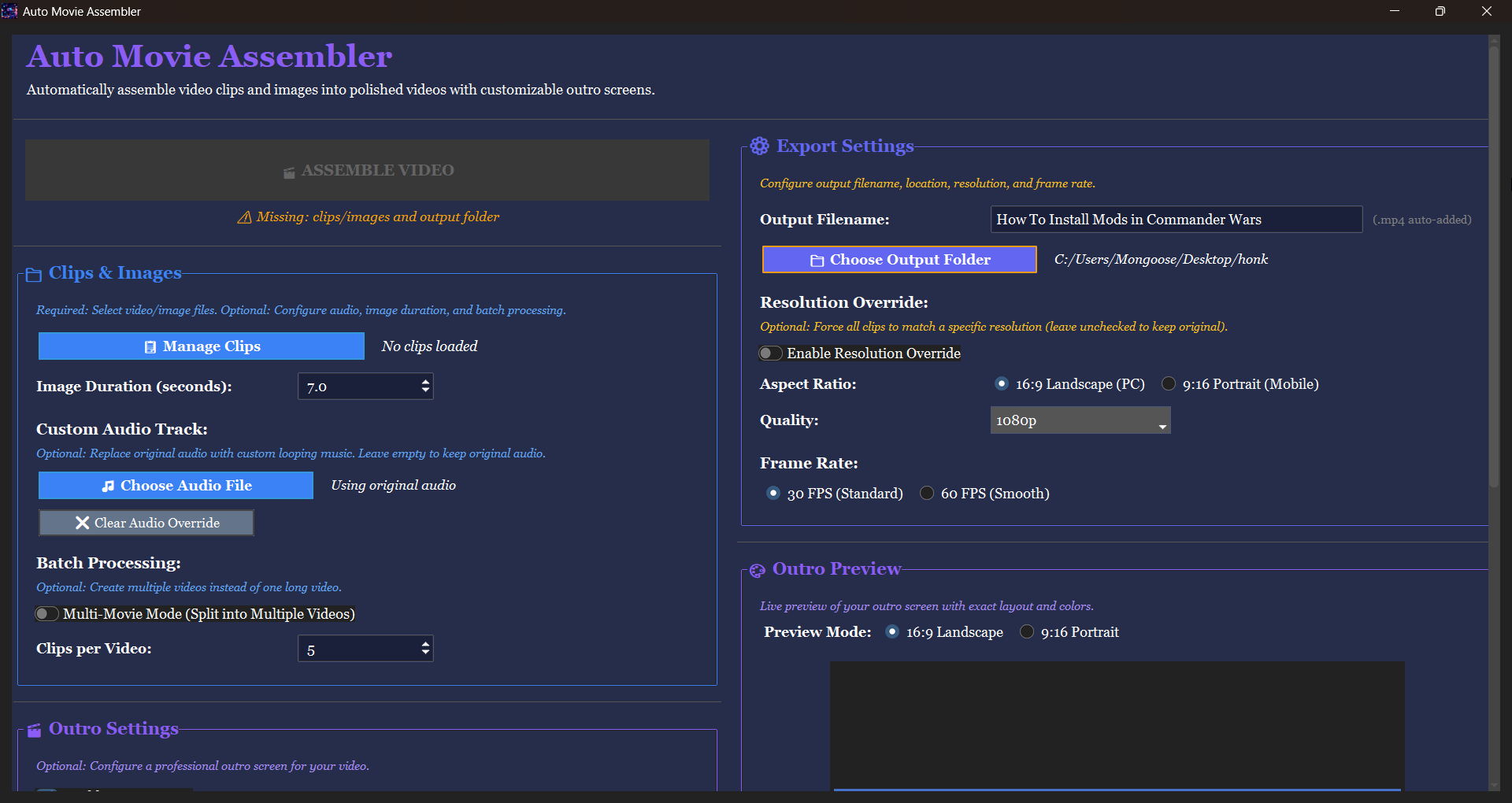
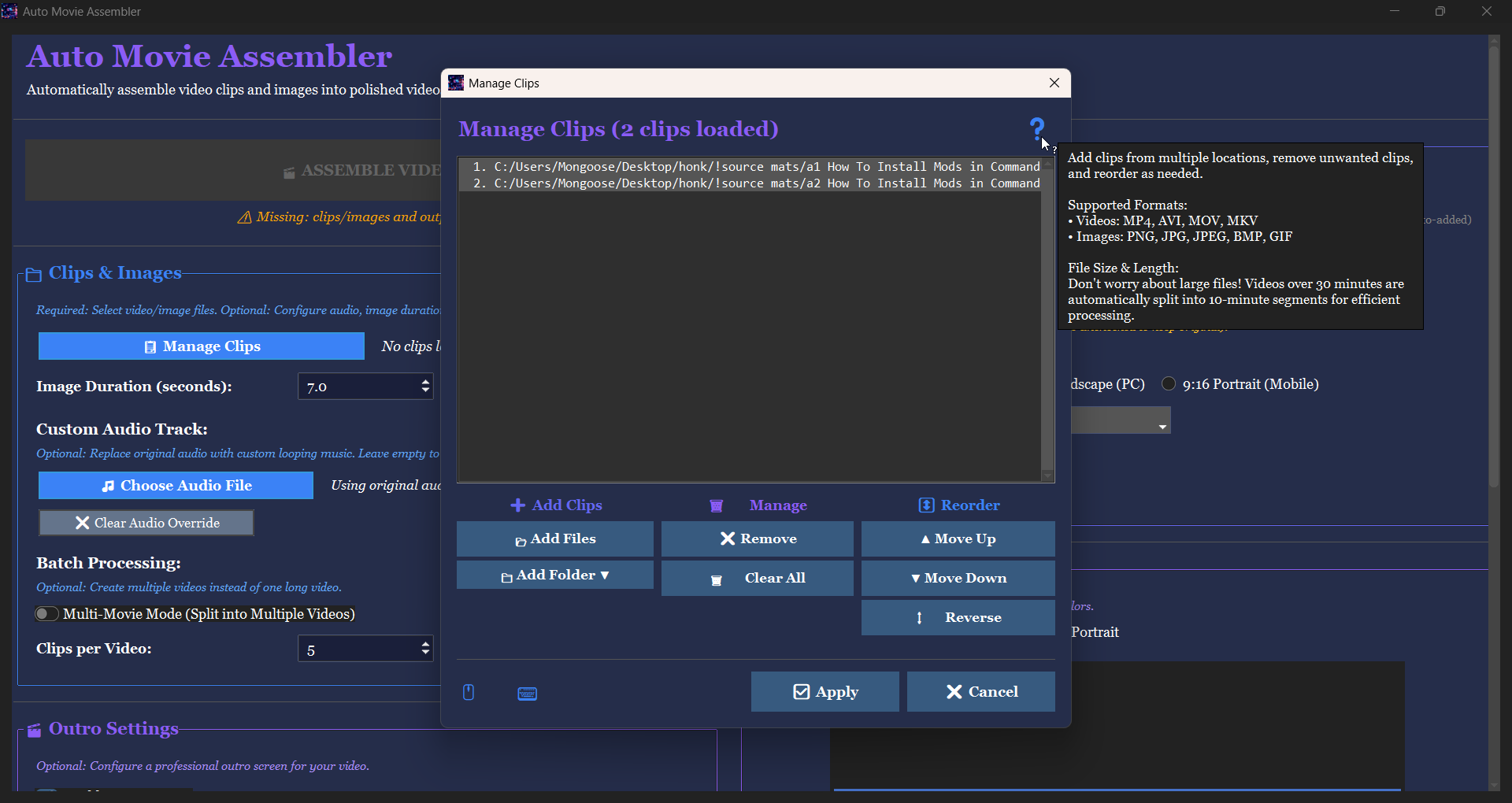
- Add your clips - Click “Manage Clips” and select your videos or images
- Choose where to save - Pick your output folder
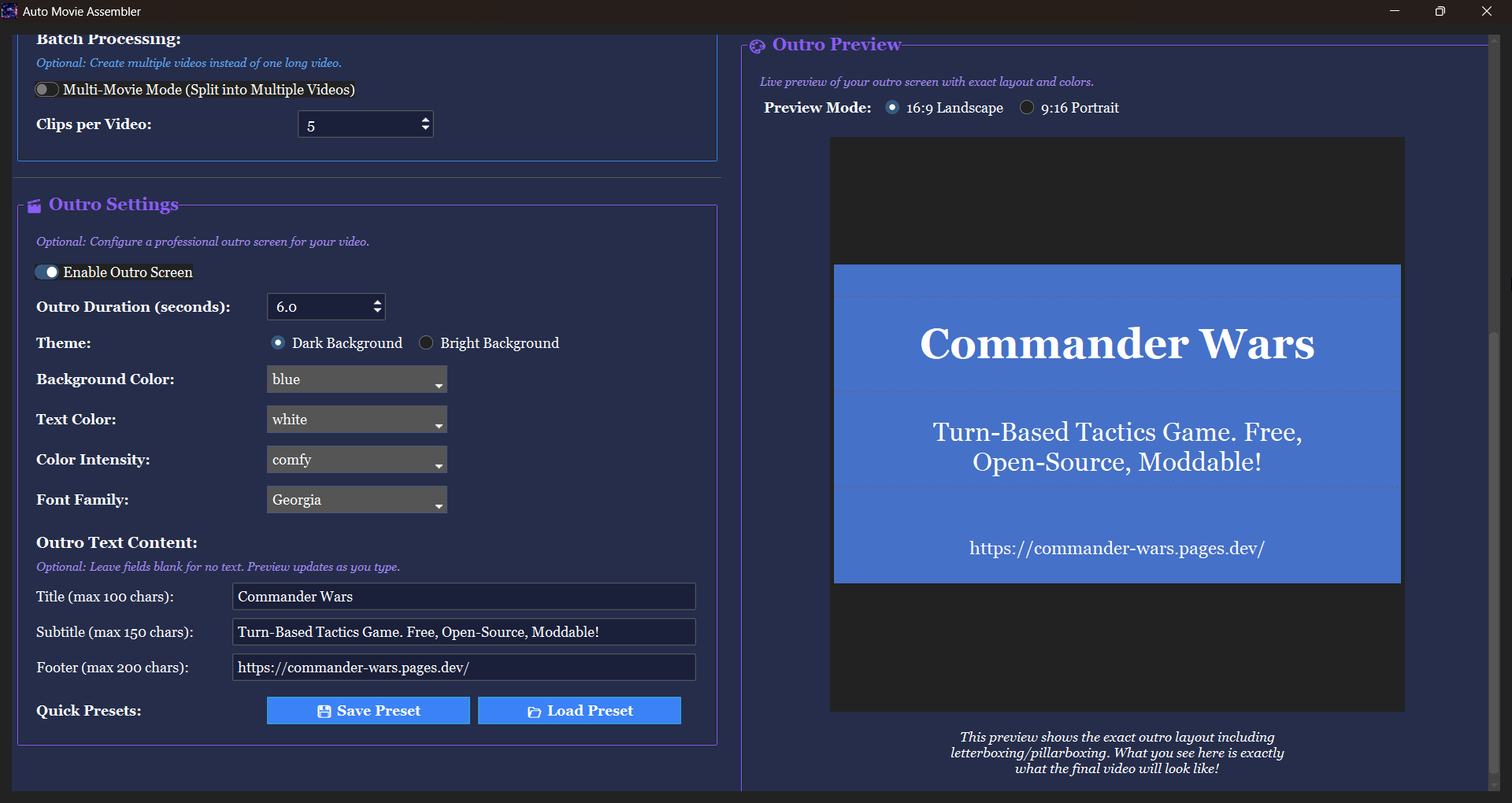
- Customize your outro (optional) - Add your channel name, colors, fonts
- Click “Assemble Video” - That’s it!
The app handles everything else automatically:
- Smooth crossfade transitions between all clips
- Professional fade-in at the start
- Fade-out at the end
- 10-second outro screen with your branding
- Background music that loops seamlessly
Cool Features
Automatic Transitions
Every video gets professional transitions automatically - no timeline editing needed. Your clips flow together smoothly with crossfades, not jarring cuts.
Custom Outro Screens
Create a professional 10-second outro with:
- Your own text (title, subtitle, footer)
- 11 color choices for background
- 11 color choices for text
- 8 different fonts
- Dark or bright themes
- Live preview before you process
Perfect for adding “Thanks for watching! Subscribe for more!” with your channel branding.
Background Music
Add your own music track and the app automatically:
- Loops it to match your video length
- Adds smooth fade-in and fade-out
- Replaces all original audio (or keeps it if you prefer)
Multi-Video Batch Processing
Have 20 clips but want to make 4 separate videos with 5 clips each? Turn on Multi-Movie Mode and the app creates all 4 videos automatically in one go.
Smart Resolution Handling
The app automatically handles:
- Different video sizes (mix 1080p and 720p clips)
- Different aspect ratios (horizontal and vertical videos)
- Images and videos together (images become 5-second clips by default)
Everything gets matched to the same output resolution with black bars where needed - no stretching or distortion.
Who Is This For?
YouTube Creators: Record in segments, assemble quickly, upload faster
Vloggers: Stitch together your daily clips in minutes
Gamers: Combine highlight clips into montages
Educators: Turn lecture recordings and slides into lesson videos
Anyone: Who records videos and needs them assembled quickly without learning complex software
What Makes It Special?
Compared to Traditional Editors
- Much simpler - No learning curve, no timeline, no confusion
- Automatic - Smart defaults that just work
- Fast - Minutes instead of hours to get a finished video
Compared to Online Tools
- Works offline - No internet needed after installation
- No limits - Process videos as large as you want
- Private - Your videos stay on your computer
- No watermarks - No subscriptions, no ads, no branding on your videos
It Just Works
You don’t need to learn keyframes, effects, or timeline editing. You don’t need to figure out codecs, bitrates, or export settings. You just select clips, customize your outro, and click one button.
More Tools
If you like this, try my other stuff:
Enjoy!
- Reactorcore
Download
Click download now to get access to the following files:
Development log

Leave a comment
Log in with itch.io to leave a comment.